How to Lock and Encrypt Dropbox Folders with a Password
By Editorial Team•Updated August 2026•10 min read
Quick Answer
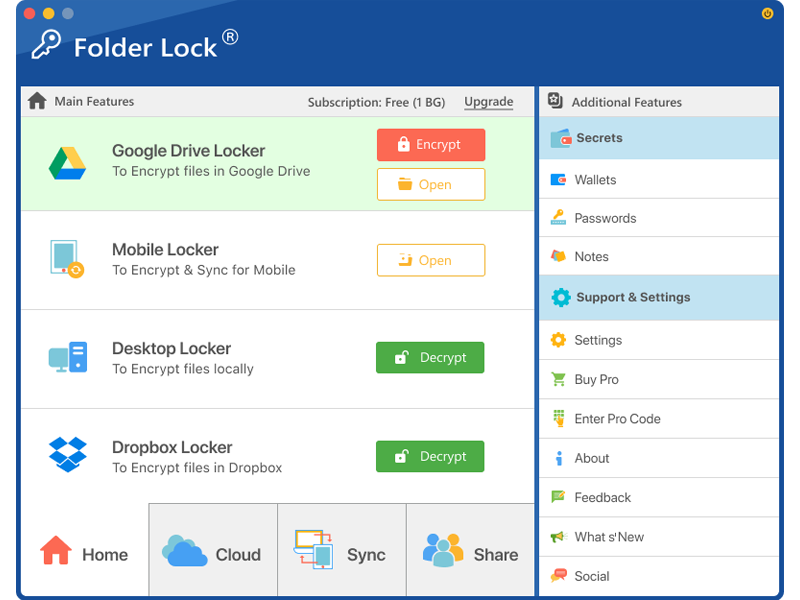
If you want the Dropbox copy itself to be encrypted, Folder Lock 10 is the product in this lineup built for that job. Its desktop editions include a dedicated Dropbox Locker, so files can be encrypted with AES 256-bit protection before Dropbox carries the synchronized copy. Folder Lock is available for 64-bit Windows 10/11 and for macOS 13 or later, with companion apps for iOS and Android.
“Locking a Dropbox folder” can describe several different goals. You may want to encrypt files before they reach cloud storage, stop another person from opening a local folder on a shared Windows computer, or keep protected files available across several devices. Those jobs call for different tools.
This guide separates those use cases and shows where Folder Lock 10, Folder Protect, and Folder Lock Lite fit. It also covers the plan limits and platform differences that matter before you choose a setup.
First Decide What Kind of Protection You Need
Cloud synchronization and file protection are not the same function. A sync service moves data between devices; a security product can add encryption or local access rules before that data is synchronized.
Encrypt the cloud copy: use Folder Lock 10 and place sensitive material in its Dropbox Locker.
Restrict local Windows access: use Folder Protect when the main objective is to control viewing, opening, editing, or deletion on the computer itself.
Use a simple lock without encryption: Folder Lock Lite is a reduced feature option, but it is not a substitute for encrypted cloud storage.
Best Match by Goal
Dropbox encryption: Folder Lock 10
Cloud locker choices: Dropbox, OneDrive, and Google Drive
Local Windows policy controls: Folder Protect
Basic non-encrypted locking: Folder Lock Lite
Phone/tablet access: Folder Lock apps for iOS and Android
Why Folder Lock 10 Fits Dropbox Encryption
Folder Lock 10 combines file encryption with cloud-specific Lockers. For Dropbox users, that means you do not have to treat the ordinary Dropbox directory as your protected area; you can use the product's Dropbox Locker as the security boundary.
Recommended for Dropbox
Encrypted Dropbox Locker
Files added to the Dropbox Locker are processed by Folder Lock with AES 256-bit encryption, and the encrypted data can then be synchronized through Dropbox.
Multi-cloud
More Than Dropbox
The same desktop product also provides Locker options for Google Drive and OneDrive, which is useful if your storage provider changes later.
Device access
One Protected File Set
The supplied product material describes linked desktop and mobile apps that can open the user's encrypted files across supported devices.
How to Protect Dropbox Files with Folder Lock
The practical workflow is straightforward and keeps encryption separate from ordinary cloud permissions.
Install Folder Lock 10 on a supported desktop. The current product material lists 64-bit Windows 10/11 and macOS 13 or newer.
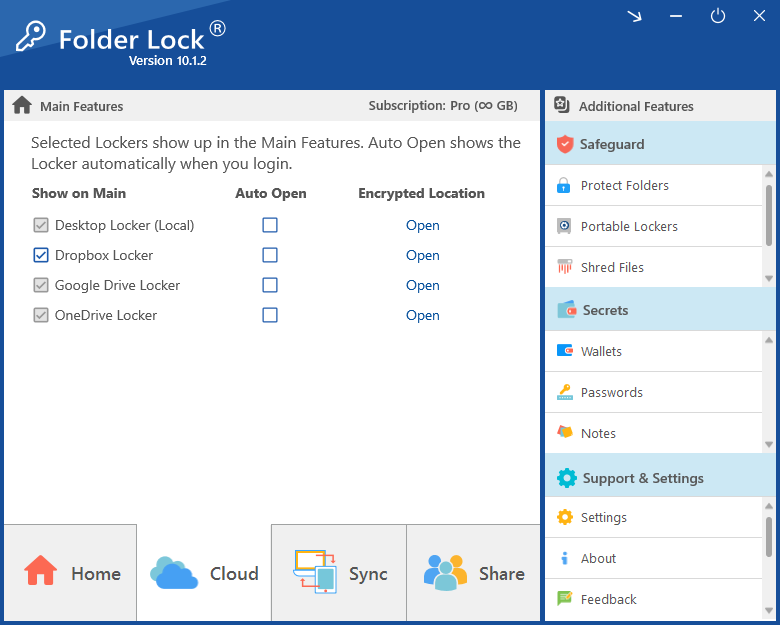
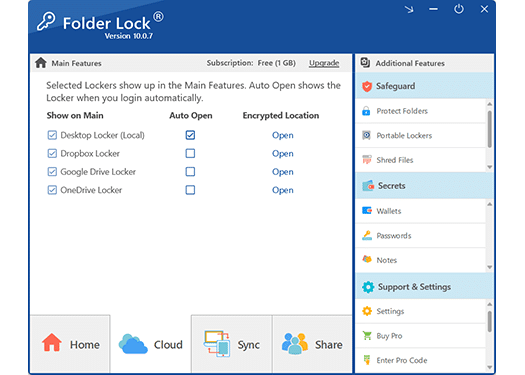
Sign in to Folder Lock and select the Dropbox Locker. Dropbox is one of the cloud Locker choices shown alongside Google Drive and OneDrive.
Add the files that need protection. Move or copy them into the Locker rather than leaving the sensitive originals in an unprotected sync location.
Encrypt the Locker. Folder Lock applies AES 256-bit encryption to the content held inside it.
Allow Dropbox to synchronize the protected data. Dropbox handles transport and synchronization while the file content remains in the Folder Lock encrypted format.
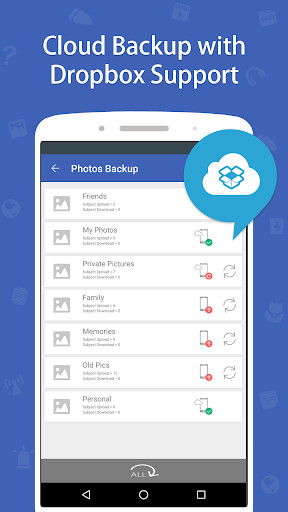
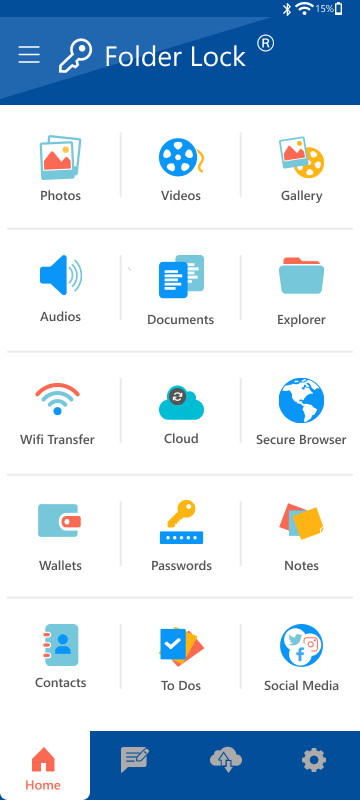
Link other devices when needed. Folder Lock's mobile apps can participate in the same encrypted-file workflow after you sign in and configure synchronization.
i
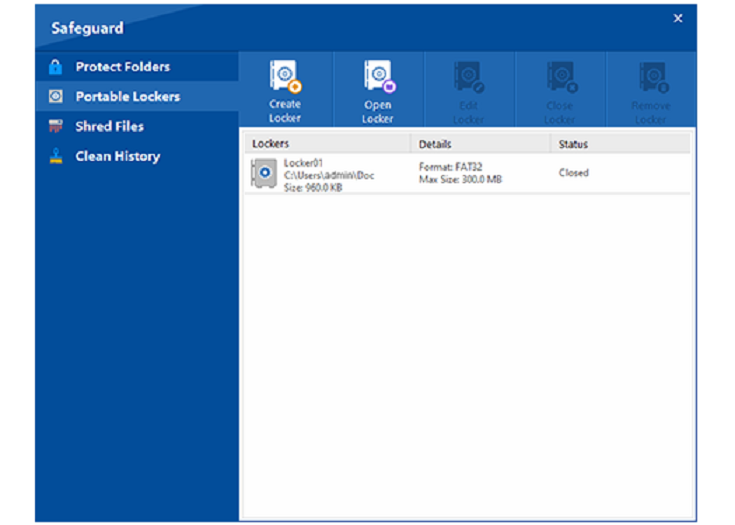
Important distinction: Folder Lock also has a Windows feature called Protect Folders, but that option is for hiding and blocking access without encrypting file contents. For Dropbox, use an encrypted Locker when your goal is protection of the synchronized copy.
Encrypt Before Dropbox Syncs
Folder Lock's Dropbox Locker adds a separate encryption layer before the cloud service carries your protected files to other devices.
Dropbox Locker
Sensitive files stay inside a Folder Lock encrypted Locker while Dropbox performs the synchronization step.
The free edition is enough to test the Locker workflow, but its capacity and device allowance are limited. The supplied Windows and Mac product material lists Pro at $39.95 and expands the Locker and synchronization limits.
Capability
Free
Pro
Locker storage allowance
1 GB maximum
No stated storage ceiling
Device sync allowance
2
5
Encrypted sharing
Not included in the Windows/Mac comparison
Included
Portable Lockers on Windows
Not included
Included
Protect Folders on Windows
Not included
Included
Windows file shredding and history cleanup
Included
Included
Listed price
$0
$39.95
On macOS, the product material separately lists 1 GB for each of its Desktop Locker and each cloud Locker (Dropbox, OneDrive, or Google Drive) in Free, with unlimited Locker capacity in Pro. Pricing can change, so the checkout page should remain the final source for the amount charged.
Platform Support and Feature Differences
Folder Lock is a product family rather than an identical app on every operating system. The core protected-file workflow spans devices, while some convenience features differ by platform.
Windows
Folder Lock 10 for 64-bit Windows 10 and Windows 11
Desktop, Locker options for Dropbox, OneDrive, and Google Drive
AES 256-bit file encryption
Optional non-encrypted Protect Folders mode
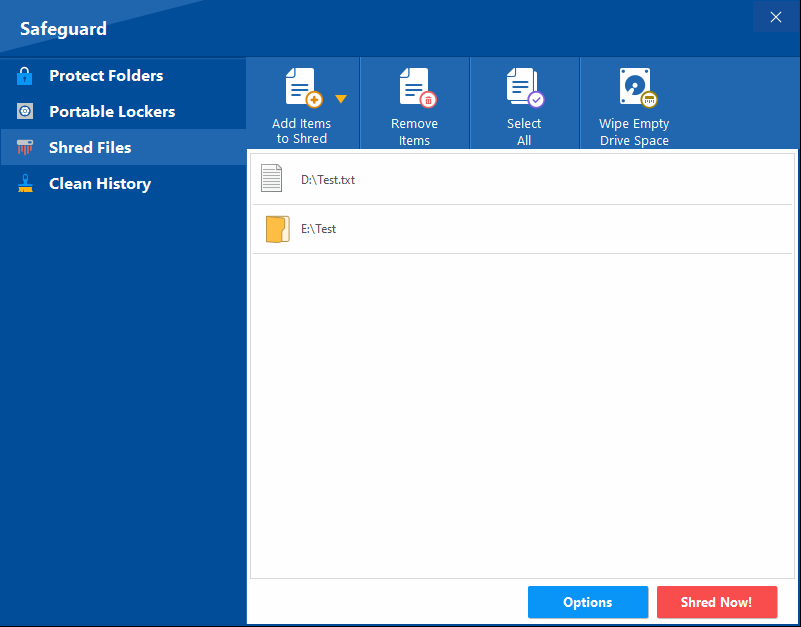
Portable Lockers, file shredding, and Windows history cleanup
Protected photos, videos, documents, audio, notes, and wallet data
Encrypted cloud backup through Dropbox, Google Drive, and OneDrive
Attempt monitoring and a private browser
App Locker for adding an access barrier to other Android apps
Ability to work with encrypted files from the same Folder Lock account
iPhone & iPad
Protected media, documents, audio, notes, and wallet data
Encrypted cloud backup to Dropbox, Google Drive, and OneDrive
Attempt monitoring and a private browser
Wi-Fi transfer between the iOS device and a computer
Cross-device access to Folder Lock encrypted files
Folder Lock vs Folder Protect vs Folder Lock Lite
These products overlap around privacy, but their protection models are different. Choosing by product name alone can lead to the wrong setup for Dropbox.
Best for encrypted Dropbox data
Folder Lock 10
Use this when files need encryption before cloud synchronization. It combines AES 256-bit Lockers, Dropbox/Google Drive/OneDrive integration, device synchronization, and additional privacy tools.
Best for Windows access rules
Folder Protect
Use this when the main requirement is controlling what local users can do with Windows files, folders, drives, programs, or selected file patterns. It can deny access, conceal items, prevent edits, or block deletion, including protection that continues in Windows Safe Mode.
Basic locking only
Folder Lock Lite
The Lite edition is a reduced version centered on folder locking. The research material explicitly separates it from the encryption features in the full product, so it is not the right choice when Dropbox data must be encrypted before upload.
Limitations to Know Before You Choose
The Free Folder Lock plan caps Locker storage at 1 GB and synchronization at two devices.
The Windows/Mac comparison places encrypted sharing and several advanced desktop safeguards in Pro.
Folder Protect is aimed at Windows access control rather than encrypted cloud Lockers.
Folder Lock Lite does not provide the encryption component needed for a pre-upload encryption workflow.
Mobile features are not identical: Android includes an App Locker, while iOS includes Wi-Fi transfer.
The supplied material supports encryption before cloud upload, but it does not establish a separate provider-independent key-management model beyond the encryption features it describes.
Interactive: Which Product Fits Your Goal?
Choose what you are trying to protect and the platform you use most. The result focuses on the product family described in the supplied research.
Protection Method Chooser
Folder Lock 10 is the strongest match: use its Dropbox Locker to encrypt files before synchronization.
Frequently Asked Questions
Yes. Folder Lock 10 includes a Dropbox Locker on its desktop editions. Add sensitive files to that Locker so Folder Lock encrypts the contents before Dropbox synchronizes the protected data.
The supplied comparison lists a 1 GB Locker allowance and two synchronized devices for Free. Pro raises the Locker limit to unlimited and supports five synchronized devices.
Yes. The current Mac material lists Folder Lock 10 for macOS 13 and later, with a Desktop Locker plus cloud Locker choices for Dropbox, OneDrive, and Google Drive.
Folder Lock provides iOS and Android apps and describes cross-device access to encrypted files. Both mobile editions also support encrypted cloud backup through Dropbox, Google Drive, and OneDrive.
No. Folder Protect is a Windows access-control product that can apply different restrictions to local items, such as blocking access, hiding an item, preventing changes, or preventing deletion. Folder Lock 10 adds encrypted Lockers and cloud synchronization, which makes it the better fit for Dropbox encryption.
No. The supplied material describes Folder Lock Lite as the reduced edition that keeps folder locking but leaves out encryption. Use the full Folder Lock product when encryption before cloud synchronization is required.
Yes. The current desktop product material identifies cloud Locker choices for Dropbox, OneDrive, and Google Drive.